
Start Free.
Grow Without Limits.
Get your service in front of customers looking for it. Take bookings while you work, keep the queue moving, keep customers informed — and manage your staff and branches from one screen. Listing your service costs nothing, and keeps costing nothing.
No card required No trial countdown Live the same day Upgrade only if you outgrow it
- 1
- providers listed
- 11
- bookable services
- 7,254
- appointments booked
Why providers join Queon
Nobody wakes up wanting queue-management software. They want to be found, to fill the day, and to stop spending it on the phone.
Get discovered by people already looking
Publish your service and it appears in the Queon directory that same day — searchable by what you do and the town you do it in. No website to build, no ads to buy.
Take bookings while you are busy working
Your booking page never closes. Customers pick from the hours you actually work, so the bookings you used to lose to an unanswered phone land in your diary instead.
Cut the waiting — and the crowd at your door
People arrive for a time instead of arriving at opening. Everyone gets a queue number and an honest estimate, so your waiting area holds the people you are about to serve.
Stop running the diary by hand
No paper book, no scattered WhatsApp threads, no double bookings. Confirmations, reminders, cancellations and reschedules all handle themselves.
Customers told automatically
Booking confirmed, reminder the day before, "you are next" as their turn comes — sent by WhatsApp, SMS or email in your name. Fewer no-shows, far fewer phone calls to answer.
Understand what your demand really looks like
Which service people want, your busiest hours and days, how long jobs actually take, who does not turn up. Staff the right days instead of guessing.
Run your staff and branches from one screen
Give each staff member their own console showing only the queues they work. Add branches, departments and service counters as you open them.
One link — or a QR code on the door
Share your booking page in a WhatsApp status, a bio link or a poster at the counter. Print the QR code and walk-ins book themselves from the doorway.
How customers find and reach you
Four doors into your service — all of them open on the free plan.
People find you by what you do
Every published service joins the Queon directory, searchable by trade, category and town. Customers looking for exactly what you offer land on you — for free.
Your own public booking page
Your name, your logo, your services and your real opening hours — a page that takes bookings at 11pm on a Sunday. If you have no website, this is your website.
One link, and a QR code for the door
Put the link in your WhatsApp status, your bio or your invoices. Print the QR code and stick it on the door, the counter or a poster — people book from the pavement instead of queueing.
Customers kept informed, automatically
Confirmation on booking, a reminder before the day, and a nudge as their turn comes — by WhatsApp, SMS or email, in your name. Nobody has to phone anybody.
Live in three steps
No sales call, no setup fee, nobody to wait for. Most providers are taking bookings the same afternoon.
-
Step 1
Create your free profile
Your name, what you do and where you are. We set up your first branch for you.
about 2 minutes
-
Step 2
Add your services
What you offer, how long each one takes and the days and hours you actually work.
about 5 minutes
-
Step 3
Start accepting bookings
You are live in the directory. Share your link or QR code and the bookings come in.
from that moment on
The whole day on one screen
Who is booked, who is waiting, who has been served, and which counter is free — across every branch you run. Call the next person, take a walk-in, move someone to another counter, and everybody waiting sees it happen.
- Today at a glance: booked, waiting, served, no-shows
- Live queues per service, branch and counter
- Walk-ins issued a number alongside online bookings
- Wait estimates that learn how fast you really work
- Staff consoles showing only the queues they work
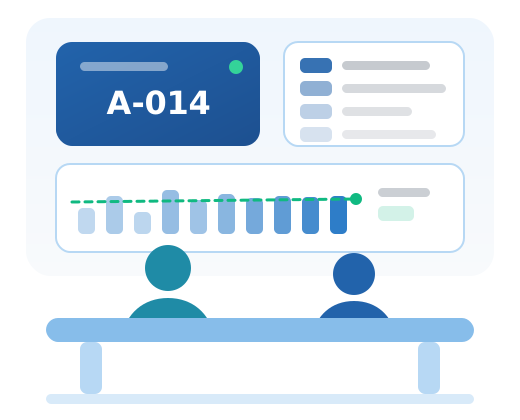
A sketch of the provider dashboard: today's booking counts, the queues currently running at each branch with the number now being served, the next appointments, and the link to your public booking page.
Start free. Grow without limits.
The whole free plan, spelled out before you hand over an email address. No countdown, no card, nothing that switches off next month.
Starter plan
Everything you need to get found and start taking bookings.
Free
forever
No card, ever No trial clock, no expiry date Taking bookings the same day
Grow without limits
Stay on free for as long as it suits you. The day you open another branch, hire more people or want your alerts going out on WhatsApp, move up — and only then.
-
Professional KES 4,900 / month
Everything in Starter · Up to 5 branches · WhatsApp alerts · Custom booking forms
-
Enterprise KES 14,900 / month
Everything in Professional · Unlimited branches · Priority support · Full audit logs
Nothing you build on the free plan is lost or locked if you never upgrade — your page, your bookings and your history stay yours.
Before Queon, and with it
The same service day, run two ways.
People find you only if someone tells them about you.
You come up when someone searches for your service in your town.
Calls you miss, and a diary only you can read.
Customers book themselves, day or night, from your own page.
Everyone arrives at opening and waits together.
People arrive for a time, with a queue number and an estimate.
You call around, or you hope they remember.
Confirmations, reminders and turn alerts go out on their own.
A cancellation reaches you once the slot is already gone.
Customers reschedule or cancel themselves and the slot reopens.
You find out how busy it was after it has happened.
You watch the day on one screen, across every branch and counter.
A rough feeling for which days are busy.
Real numbers: demand per service, peak hours, no-show rate.
A website, a booking tool, and someone to run them.
Nothing. The plan that does all of this is free forever.
Built for services people wait for
One booking page, one queue, one dashboard — whatever it is you do.
Clinics & health
Consultations, lab visits, dental, physio. Patients get a time and a queue number instead of a bench.
Salons & barbershops
Cuts, braids, nails, spa. Fill quiet hours, and stop the Saturday crowd standing in your doorway.
Professional services
Lawyers, accountants, consultants, agents. Consultations booked to the hour you actually keep free.
Government & county offices
Licences, permits, registration, collections. Publish service days and serve people in a fair order.
Schools & colleges
Admissions, fee desks, parent meetings, results day. Spread the rush over the week instead of one morning.
Repair & workshops
Garages, electronics, tailoring, appliances. Drop-offs booked by slot so the bench is never buried.
Banks, SACCOs & microfinance
Account opening, loans, card collection. Branch queues that customers can see before they set off.
Utilities, telecom & agencies
Sign-ups, replacements, claims, renewals. One booking page per branch, one queue per counter.
Not on the list? If people wait for you — in a room, on a phone or in a WhatsApp thread — Queon fits.
Everything the service day needs
Set it up once and it runs itself. Here is what each part actually does for you.
Sell the service the way you run it
How long a job takes, how many you can do in a day, how far ahead people may book, whether you accept walk-ins — set per service, so the diary matches reality.
Never be booked when you are closed
Your weekly hours, plus holidays, closures, half-days and blocked-off afternoons. Customers only ever see time you can actually serve.
Arrive with the paperwork already done
Ask for the ID number, the file, the policy number — whatever you need, on the booking form. No more sending people home to fetch things.
A queue that stays fair and moves
Call next, recall, skip, transfer between counters, reorder, pause or close. Several queues running at once, each with its own numbers.
Wait times you can stand behind
Every completed appointment updates your real pace, so the estimate people see tracks the day you are actually having.
Customers told without you lifting a finger
Confirmations, reminders, "you are next" and delay notices by WhatsApp, SMS or email — in your name, with duplicates filtered out.
More branches, same one login
Locations, departments and service counters under one account, each with its own queues, hours and staff.
Staff who see only their own work
Each staff member gets a console for the queues they are assigned to — nothing else to distract them or go wrong.
The numbers to plan next month with
Waiting and processing times, utilization, peak periods, no-shows and cancellations — on screen, or exported to CSV, Excel or PDF.
Before you sign up
The things providers ask us first — answered before you register, not after.
Start Free — ForeverIs it really free, or free for now?
Free for life. The free plan has no end date and no card attached — there is nothing to cancel and nothing that switches off. Paid plans exist for providers who outgrow the free limits, and moving up is always your choice.
What happens when I outgrow the free plan?
Nothing breaks and nothing disappears. You will see how close you are to the free limits on your billing screen, and you can move to a bigger plan whenever it suits you — or stay where you are.
Do I need a website first?
No. Your Queon booking page is a public page with your name, logo, services and real opening hours. If you have a website, link to it; if you do not, this is it.
Do my customers need an app or an account?
No. They book as guests from any phone browser and track their queue number from a link. An account is optional and only saves them retyping their details.
I mostly get walk-ins. Does this still help?
Yes — walk-ins get a number from your counter and join the same queue as online bookings. Everyone waits in one fair order, and everyone can see where they are.
Can I get my data out again?
Yes. Appointments, waiting times and reports export to CSV, Excel or PDF whenever you want them, on any plan.
Your service, in front of the people looking for it.
Create your provider account, add what you offer, and start accepting bookings today. It costs nothing to start, nothing to keep, and you can leave whenever you like.
No card required · No expiry date · Upgrade only if you outgrow it